

How to Use AI to Create Powerful Images with ChadGPT
Stop wasting money on generic stock photos. Learn how we used ChadGPT (and the Gemini Nano-Banana model) to build professional images for our site in seconds.
Every image on this page was created with ChadGPT.
Stock photography is weird and photographers are crazy-expensive.
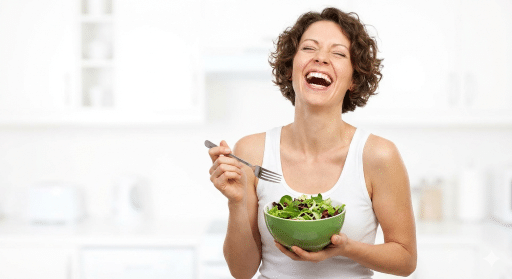
You know the pictures. The ones where an over-diverse group of people in matching blazers are pointing at a blank whiteboard, laughing hysterically at nothing. Or the “stressed business owner” rubbing their temples while looking at a pristine, empty desk.
At ChadGPT, we hate fluff. We hate jargon. And we really hate paying $50 for a generic photo that ten of your competitors are already using. Or $1000 for a professional shot and not being able to make changes.
So, when we built our new industry solution pages, we decided to eat our own dog food. We didn’t hire a photographer, and we didn’t scour stock sites. Every professional portrait you see on our Non-Profit, Personal Trainer, and Financial Advisor pages was generated in seconds using ChadGPT.
Here is exactly how we did it, and how you can do the same for your business without a PhD in prompt engineering.







The Problem: The "Team of One" Budget & the Right-Click Trap
As a solopreneur or a small business owner, you usually have three choices for website visuals:
- Hire a pro: Looks great, costs thousands, takes weeks.
- Use free stock sites: Looks generic, everyone else uses them.
- Take them yourself: Works if you’re a photographer. If not… yikes.
We built ChadGPT to solve problems for the “Team of One.” You need assets that look professional, fit your brand, and are ready now.
The $10,000 "Right-Click" Trap
There is a fourth option, and it’s the dangerous one: Google Images.
We know the temptation. You need a photo for a blog post, you search Google, and you “Right-Click > Save As.” It feels free, and you think, “I’m a small business, nobody is going to notice.”
Here is the brutal truth: They will notice. Copyright holders and “copyright trolls” use automated bots to crawl millions of small business websites 24/7. They are looking for specific pixel patterns that match their library. If they find one image on your site that you didn’t pay for, they don’t send a polite request to take it down. They send a legal demand letter for copyright infringement damages—often ranging from $3,000 to $10,000 per image.
Using ChadGPT isn’t just about looking cool; it’s about generating unique, pixel-perfect images from scratch so you don’t accidentally bankrupt your business over a JPEG.
Image Example 1
The Personal Trainer
For our Personal Trainer Solutions page, we needed someone who looked fit and knowledgeable, but not intimidating.
The Result: A high-resolution image that captures the "hustle" vibe without looking staged.
A cinematic, low-angle wide shot of an athletic male performing intense battle rope exercises inside an open-air concrete parking garage. Golden hour sunlight is streaming in from the side, creating strong contrast and dramatic shadows. The heavy ropes are mid-wave, leading directly toward the camera lens. Industrial urban background with city buildings visible. High realism, 4k, gritty texture, dynamic motion, sweat and intensity."

Image Example 2
The Independent Insurance Agent
For our Insurance Solutions page, we had a specific problem. Most stock photos for insurance fall into two categories: "Terrifying Car Crash" or "Guy Who Definitely Wants to Sell You a Timeshare."
We needed to convey protection and peace of mind, not panic or a sales pitch. We wanted an agent who looked like a neighbor you’d actually trust with your house keys.
Generate a widescreen photorealistic 16:9 aspect ratio image suitable for a blog post header. The main subject should be clearly positioned on the middle-right side of the frame, occupying approximately 30-40% of the horizontal space, leaving the entire left two-thirds of the image relatively open. The overall aesthetic should be clean, modern, and inviting. The subject is a highly credible male insurance agent, looking at the camera, and smiling, in a comfortable small office setting.

Image Example 2
The Contractor
For our Contractor Solutions page, we ran into a classic problem. Stock photos of construction workers usually feature a model with a spotless hard hat holding a wrench like it's a delicate flower, standing in a finished kitchen.
Real contractors get dirty. Real job sites have dust. We needed an image that screamed "We get the job done," not "We just bought this tool belt at a costume shop."
Generate a widescreen photorealistic 16:9 aspect ratio image suitable for a blog post header. The main subject should be clearly positioned on the middle-right side of the frame, occupying approximately 30-40% of the horizontal space, leaving the entire left two-thirds of the image relatively open. The overall aesthetic should be clean, modern, and inviting. The subject is a rugged general contractor reviewing blueprints in the front seat of a ford truck on a residential framing site. Early morning golden hour lighting, dust particles in the air, wearing a weathered safety vest and hard hat. Looking focused, experienced, and reliable. Realistic texture, 4k.

How to Do This Yourself in just 3 Steps
You don't need to be a prompt wizard.
You just need to know what you want.
Log in to ChadGPT
If you haven't yet, grab the 7-day free trial.

Select an Image Model
"Gemini Flash Image (Nano-Banana)" is the top performer right now.
We like this one for photorealism, but feel free to experiment with Stable Diffusion or Image-Gen-1.

Type what you see in your head
Keep it simple. Describe the person, the setting, and the lighting.
Pro Tip: Use words like "natural lighting," "4k," and "depth of field" to make it look like a real photo.
a dramatic mountain vista with super long sightlines to the peaks in the distance. The colors are muted because somewhere in the image very small is a hiker wearing a bright red jacket. The red really stands out against the muted landscape.
The prompt we used for the title image of this article.
Privacy & Security (The Serious Part)
We know you’re using these images for your business. We take that seriously. We keep your data on AI models and partners in the United States. We don’t sell your data, and we don’t use your inputs to train public models. Your business, your data—simple as that.
Stop Overthinking Your Graphics
ChadGPT Pro delivers unlimited access to these image models.
If you have a marketing assistant or a partner, check out ChadGPT Teams. You can generate images, and share the project all in one place.
Your business deserves to look good. Stop using the same stock photos as the guy down the street. Log in and create something that actually looks like your brand.

Ready to get started? Create your free account now
See what ChadGPT can do for your business.
7-Days Free to Explore the Power of ChadGPT
