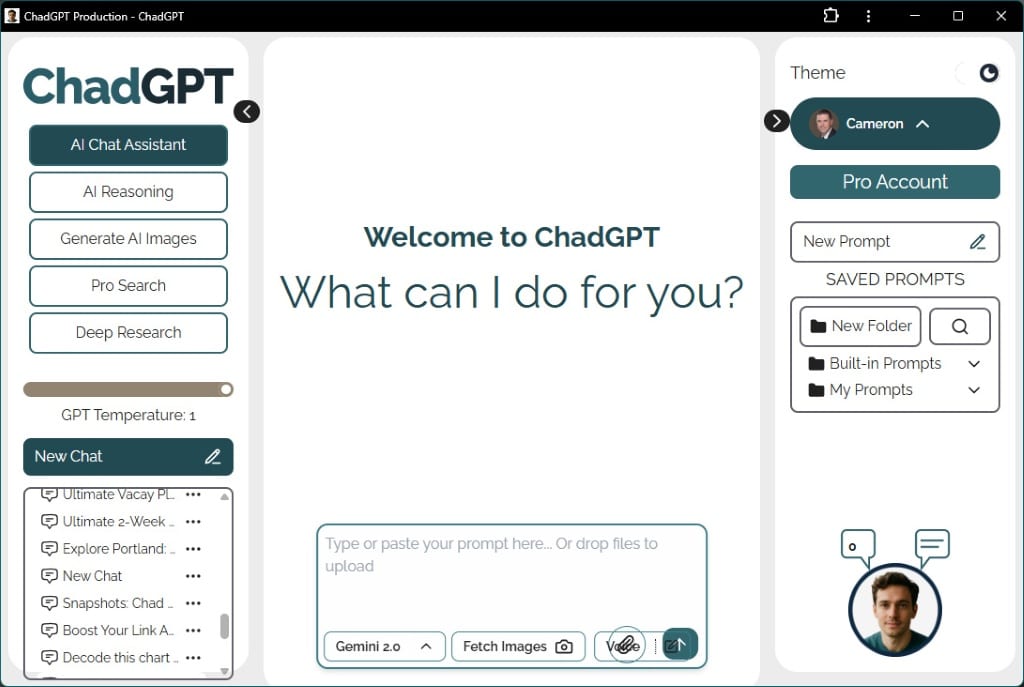
How to Make ChadGPT Look Fabulous (It’s the Zoom baby)
How to adjust the View (Zoom) in Your ChadGPT App Window
Works with ChadGPT in a browser window, or better, installed as a web app on your desktop.
Once you have ChadGPT open in its clean app window, you might want to adjust how large the text and elements appear, especially on larger monitors where a slightly “zoomed out” view (often around 85-90%) can make better use of the screen space.
Since the standard browser menus are hidden in this app window, you’ll use simple keyboard shortcuts.
How to Adjust the Zoom Level:
Use these key combinations while the ChadGPT app window is active (clicked on):
- To Zoom OUT (Make everything smaller, good for large screens):
- On Windows / Linux: Press and hold the <Ctrl> key, then press the – (minus) key. Repeat this a couple of times until it looks comfortable (I found 75-90% looks great).
- On Mac: Press and hold the Command (⌘) key instead of <ctrl>
- To Zoom in
- Use the plus key instead of minus.
- Quick reset to 100% zoom
- On Windows: Control <ctrl> and 0 (zero)
- On Mac: Command (⌘) and 0 (zero)
- Speed method
- Hold Control <ctrl> or Command (⌘) and move your mouse scroll wheel (the one in the middle).

Gemini 3 Flash in ChadGPT – A Little Faster, A Lot Smarter
You’re running a business, not a research lab. That’s why we’ve updated the default AI to Gemini 3.0 Flash to cut down on the staring-at-loading-dots time. We also added Gemini 3.0 Pro for when you need a “senior consultant” to handle the heavy lifting. Here’s the lowdown on the new speeds and why we’re finally showing you the AI’s math with the new Thinking Process display.

No More Digital Scavenger Hunts! Your New ChadGPT Document Library is Here
Ever feel like your important files vanish into the digital ether after you upload them to AI? We’ve all been there, endlessly scrolling through chats. That’s why we’re thrilled to introduce the ChadGPT Document Library! It’s your new centralized hub, bringing every file you’ve ever uploaded across all your chats, projects, and folders into one organized place. Quickly preview, download, or jump back to the original conversation for instant context.
Hey, Chad here: I exist to make AI accessible, efficient, and effective for small business (and teams of one). Always focused on practical AI that's easy to implement, cost-effective, and adaptable to your business challenges. Ask me about anything; I promise to get back to you.