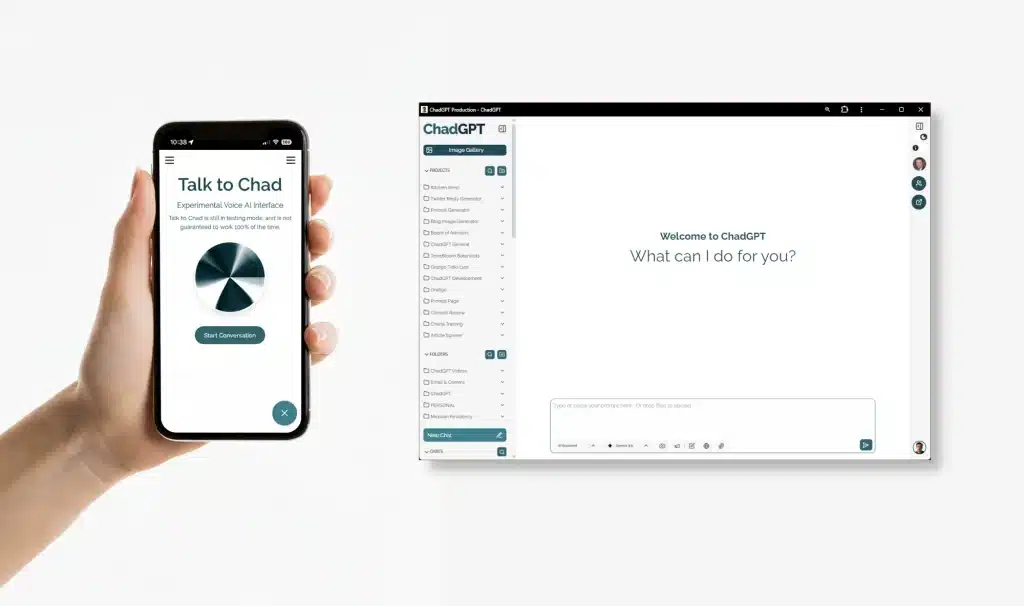
You’re running a business, not a research lab. That’s why we’ve updated the default AI to Gemini 3.0 Flash to cut down on the staring-at-loading-dots time. We also added Gemini 3.0 Pro for when you need a “senior consultant” to handle the heavy lifting. Here’s the lowdown on the new speeds and why we’re finally showing you the AI’s math with the new Thinking Process display.

No More Digital Scavenger Hunts! Your New ChadGPT Document Library is Here
Ever feel like your important files vanish into the digital ether after you upload them to AI? We’ve all been there, endlessly scrolling through chats. That’s why we’re thrilled to introduce the ChadGPT Document Library! It’s your new centralized hub, bringing every file you’ve ever uploaded across all your chats, projects, and folders into one organized place. Quickly preview, download, or jump back to the original conversation for instant context.
How to “Install” ChadGPT on your iPhone or Android with “Add to Home Screen”
You’re busy, we get it. So why fumble in your browser when ChadGPT can feel like a native app? Seriously, adding app.chadgpt.com to your iPhone or Android home screen is quick, easy, and skips a tap. It’s not some weird sideload—just a direct shortcut (often a full-screen PWA) for faster access to your AI tools. We live for micro-efficiency, because every second counts for small business. Get instant access to powerful AI for research, content, and more, without browser clutter. And because it’s ChadGPT, your data stays secure on U.S. servers, never sold. No BS, just smart AI at your fingertips.
How to Make ChadGPT Look Fabulous (It’s the Zoom baby)
How to adjust the View (Zoom) in Your ChadGPT App Window Works with ChadGPT in a browser window, or better, installed as a web app on your desktop. Once you have ChadGPT open in its clean app window, you might want to adjust how large the text and elements appear, especially on larger monitors […]
Getting a Clean, Dedicated ChadGPT Window in Chrome (Like an App!)
Install ChadGPT as a Desktop App Want a cleaner, dedicated window for using ChadGPT without all the usual browser tabs, toolbars, and menus? You can easily install app.chadgpt.com like a simple desktop app using your Google Chrome browser. ChadGPT Installed as Chrome Desktop Web App Here’s how: Go to the ChadGPT Website: Open your Google Chrome […]
Goodbye, Google! Hello, ChadGPT Pro Search: The AI-powered Search Alternative
Google has been our go-to search engine since, well, forever. But let’s face it—searching on Google today is like walking into a room looking for your keys and instead finding a bunch of advertisements, confusing sponsored links, and random distractions. You started looking for productivity tips, and five minutes later, you’re deep into “Which celebrity […]
Simplifying Your Experience: Goodbye, “Query Images” Feature
At ChadGPT, we’re all about keeping things straightforward and useful. That’s why we’ve retired our “Query Images” feature. With the introduction of our robust new file uploads feature—which easily handles images—there was simply no need for redundancy. You can now upload your images directly in chat, ask follow-up questions, and get seamless, integrated responses without […]
New: ChadGPT Can Now Generate ‘Better’ AI Images (And Yes, They’re Gorgeous)
Powerful AI Image Generation Is Here Powered by OpenAI’s GPT-Image-1 — now available inside ChadGPT. Try It Now NEW AI IMAGE GENERATOR Stunning AI ImagesRight in Your Chats The latest update (powered by the gpt-image-1 model in GPT-4o) is a serious glow-up from the old DALL-E days—think photorealistic images, crisp text, and enough style flexibility to make your designer jealous. […]
Introducing “AI Voice” for ChadGPT: Now Your AI Actually Sounds Like You!
Introducing “AI Voice” for ChadGPT Ever tried chatting with AI and thought, “Wow, helpful info—but why does it sound like my least favorite college professor reading a tax manual?” Yeah, we’ve been there. That’s why we’re thrilled to announce AI Voice, a brand-new ChadGPT feature designed to finally make AI conversations sound, well, like actual […]